
Signing up as a Learner
Pre-requisite: To access Rehearsable as a Learner, you need an invitation or magic code from your workshop/learning provider
Once you’ve received an invitation:
- Click the link in your invitation email, or follow the magic code link provided by your workshop/learning provider
- Choose a sign up method:
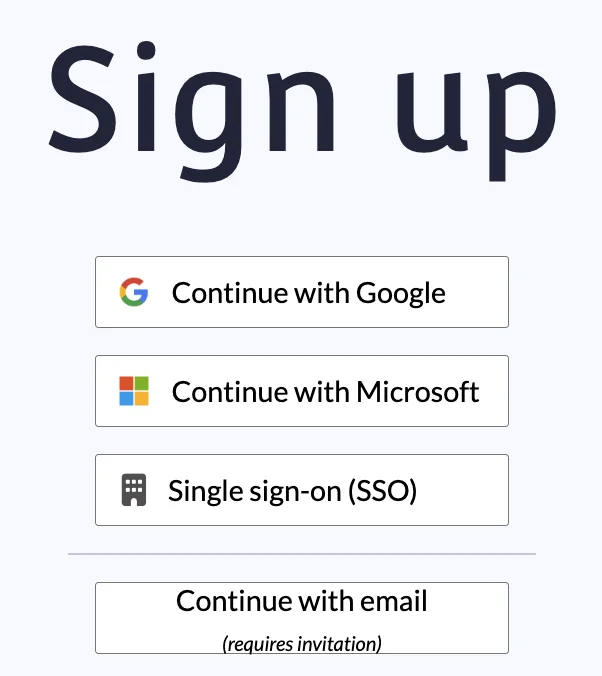
- Follow the instructions below for your sign up method
- You should be automatically logged in and redirected to the homepage to access your workshop/learning provider’s scenarios
Sign up with Google or Microsoft
- Click Continue with Google/Microsoft
- Follow the on-screen instructions to create your account
Sign up with email and password
- Click Continue with email (requires invitation)
- Complete the form with your first name, last name and create a password
- Password requirements:
- Minimum 12 characters
- At least 1 letter
- At least 1 number
- At least 1 symbol
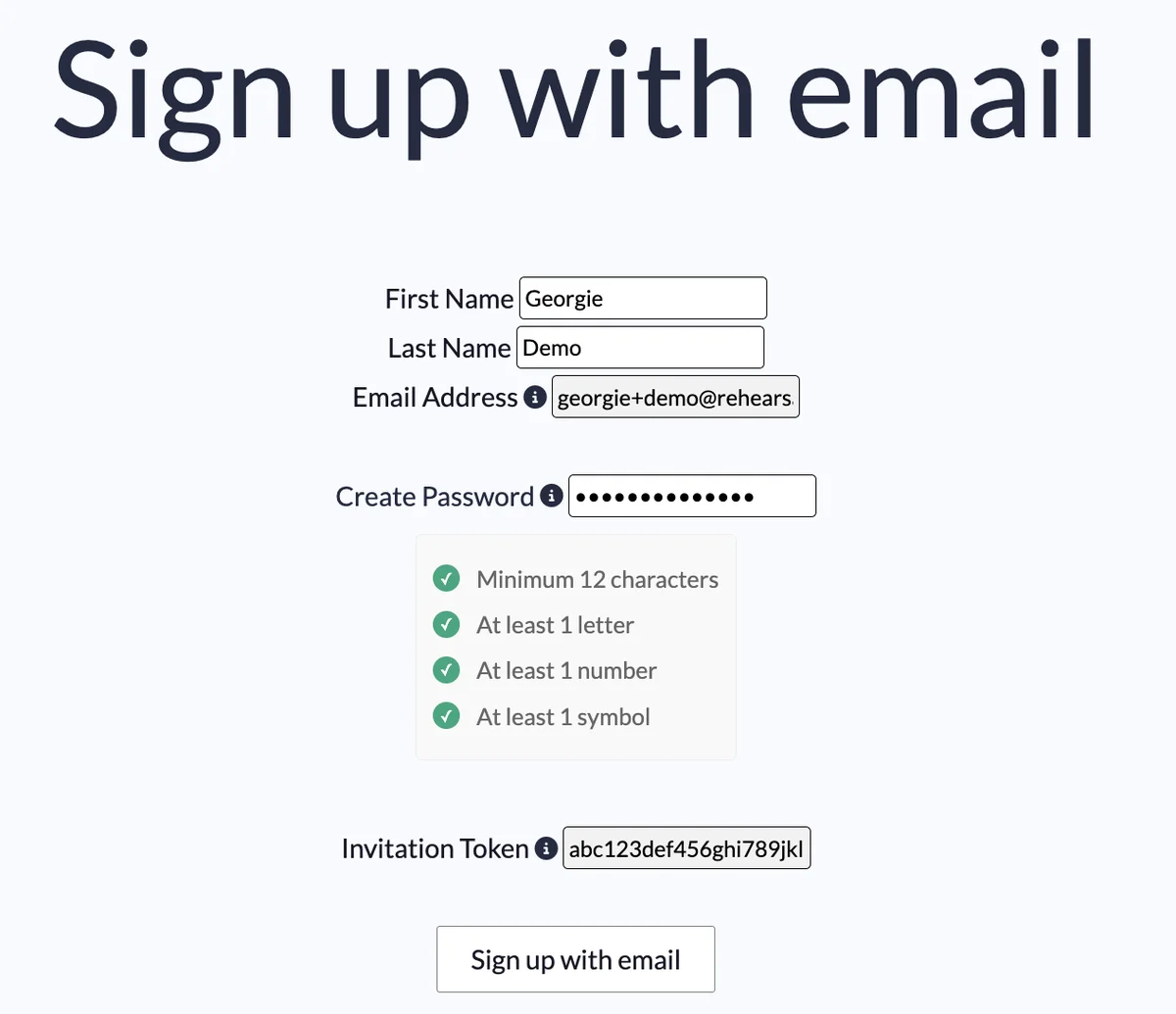
- Password requirements:
- Click Sign-up with email
Single sign-on (SSO)
- Click Single sign-on (SSO)
- Enter your email
- Follow the on-screen instructions from your company’s identity provider