
Pre-requisite: To log in to Rehearsable, you need to have created an account
If you’re a Learner with an invitation from your workshop/learning provider, see instructions on how to sign-up to Rehearsable here
- Navigate to the Log In page at https://rehearsable.ai/login
- Select your log in method
Important: You must log in with the same method you used to sign-up to Rehearsable
Log in with Google or Microsoft
- Click Continue with Google or Continue with Microsoft
- Follow the on-screen instructions to log in to your account
Log in with Single sign-on (SSO)
- Click Single sign-on (SSO)
- Enter your email
- Follow the on-screen instructions from your company’s identity provider
Log in with email and password
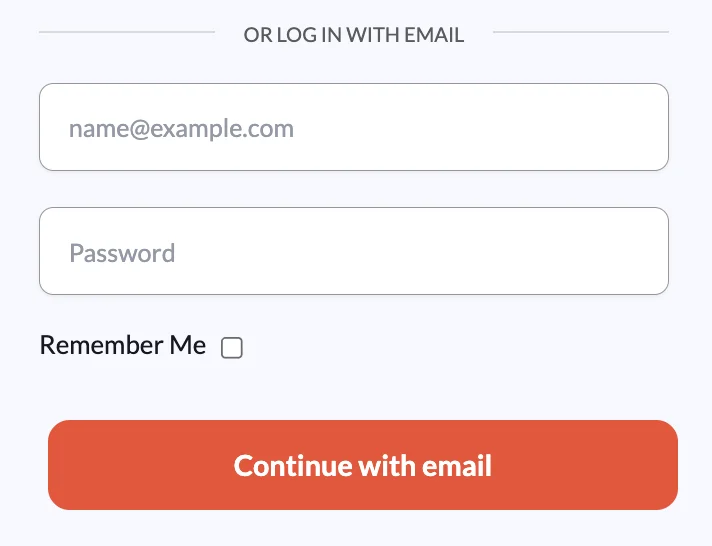
- Enter your email and password in the ‘Log in with email’ form
- If you’ve forgotten your password, you can use the Forgot password link from the Log in page and follow the on-screen instructions
- Click Continue with email
Troubleshooting log in
If you’re trying to log in to Rehearsable but receiving an error message, please complete the following checks:
- Have you previously created an account?
- You need to create an account before you can log in
- If you’re a Learner, you’ll need an invite from your workshop/learning provider to create an account
- If you’re a Creator, you can sign up for an account via the Rehearsable homepage
- Are you using the same log in method that you used to create your account?
- For example:
- if you created your account using Google sign-up, you must use Google to log in
- if you created your account using email + password, you must use email + password to log in
- For example:
- If using email + password method, have you forgotten your password?
- You can reset your password by following the Forgot password link from the Log in page
If you’re still unable to access your account, please contact your workshop/course administrator